
Letting the shoes tell the story.
Yenda is a footwear brand. This storefront design puts the products first, with room for the brand story and a clear starting point for anyone who wants a custom design.
- Sector
- Retail · Footwear
- Project
- Storefront design (preview)
- Devices
- Desktop and mobile
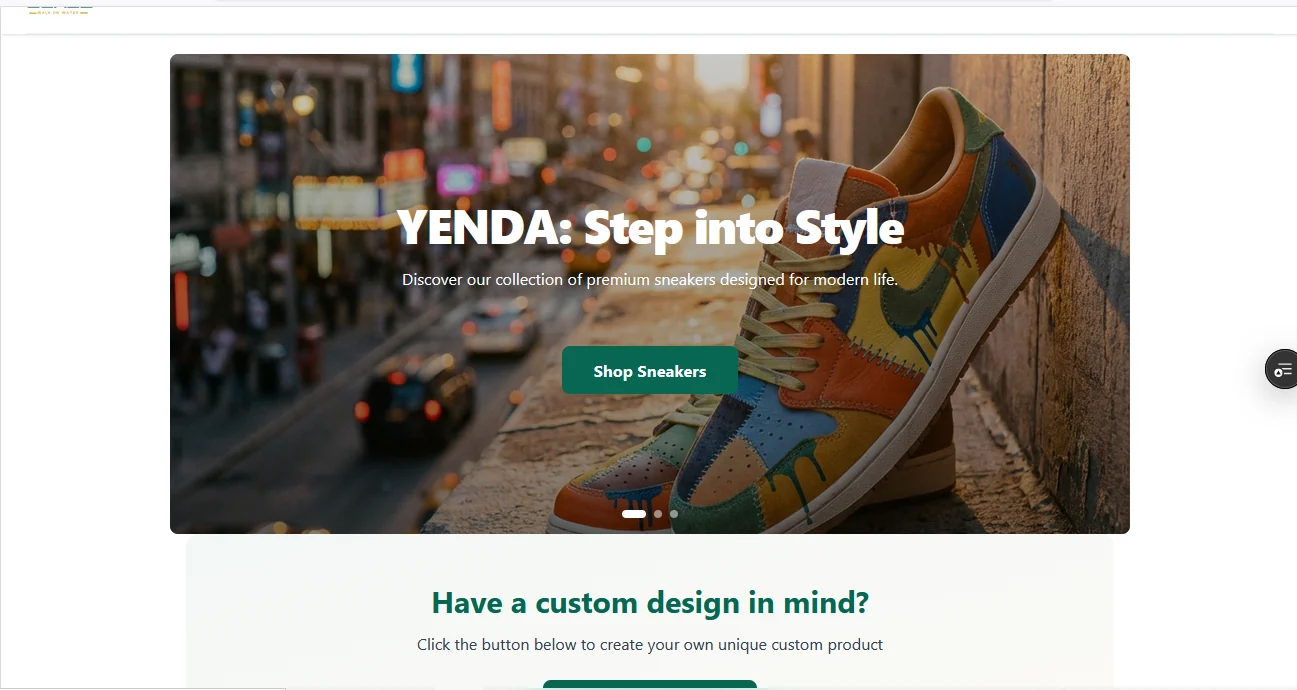
Someone likes the look of a shoe. What keeps them here?
A shopper arrives curious about the brand. They want to see the shoes, understand what makes them different, and know what to do if they want a pair of their own design.
- 01
See the products. Big, bold product photography from the first screen.
- 02
Understand the brand. A short “Why Yenda?” section.
- 03
Ask for something custom. A section and button just for custom designs.
Product first. Story close behind.
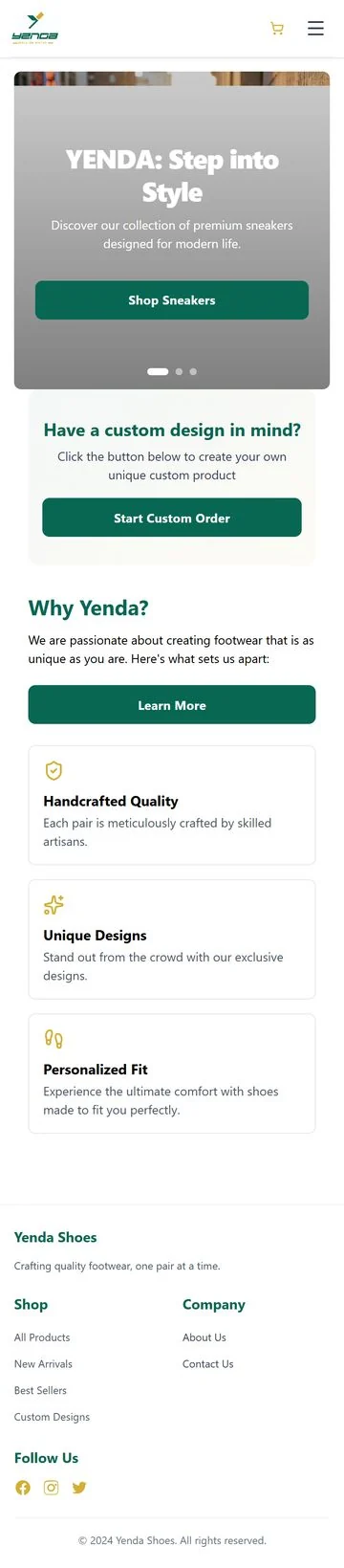
Both screens are screenshots of the storefront design preview. It is a design, not a working shop.
- Hero“YENDA: Step into Style” with a Shop Sneakers button.
- Custom design“Have a custom design in mind?” with a Start Custom Order button.
- Why Yenda?Three cards: Handcrafted Quality, Unique Designs and Personalized Fit.
- FooterShop links, including Custom Designs, plus company and social links.
Show the product. Then tell the story.
These are the choices behind the design, not claims about results.
Let the product lead.
Large product photography carries the first screen, and the words stay short.
Give custom requests their own path.
Custom designs get their own section and button, near the top of the page.
Keep the brand promise simple.
Three short cards explain what the brand stands for, each with an icon and one sentence.
Try it yourself, or see the next one.

Let your products do the talking.
Tell us what you sell and how customers order from you today. We’ll help you plan a website or online shop that fits.